Java Arrays Explained: One-Dimensional and Two-Dimensional
Java Arrays
Arrays are a core data structure used to store multiple values of the same data type in a contiguous memory structure. They provide indexed access, predictable memory usage, and efficient traversal. In Java, arrays are objects with a fixed size, strong type enforcement, and well-defined behavior during runtime.
This section presents a complete, structured, and precise explanation of one-dimensional (1D) and two-dimensional (2D) arrays, covering declaration, initialization, memory behavior, traversal techniques, common operations, and pitfalls.
Fundamentals of Arrays
An array groups multiple values under a single variable name. Each value is accessed using an index, which starts from 0.
Key properties:
- Fixed size (decided at creation)
- Homogeneous elements (same data type)
- Zero-based indexing
- Stored as objects on the heap
- Length accessible via
lengthproperty
One-Dimensional Arrays (1D)
Definition
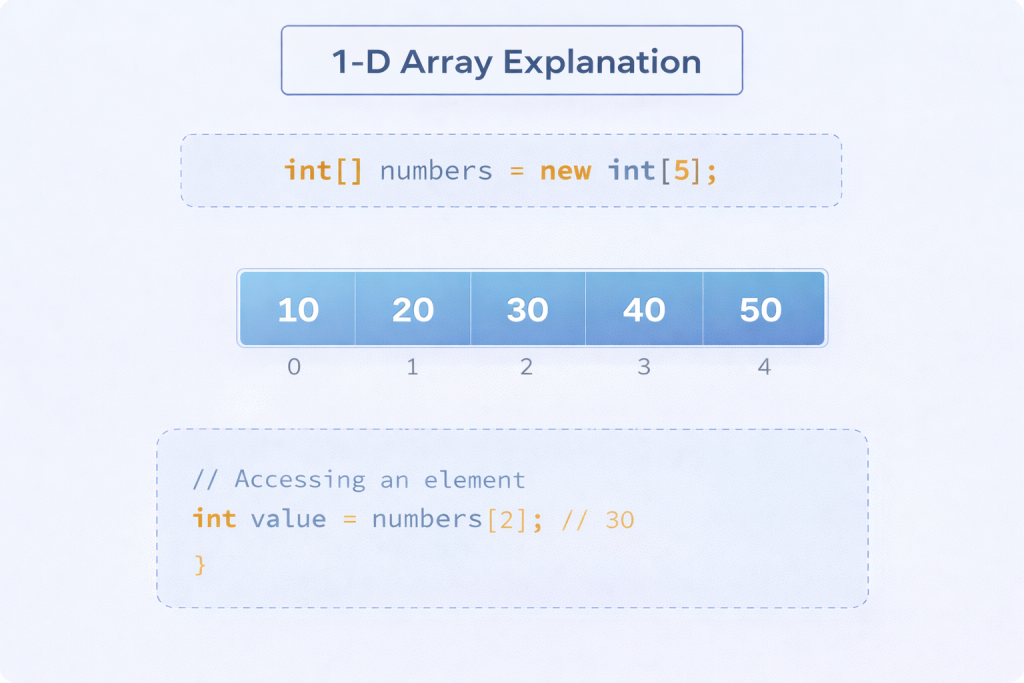
A one-dimensional array represents a linear collection of elements arranged sequentially in memory.
Declaration
int[] numbers;
or
int numbers[];
The first form is preferred for clarity.
Memory Allocation
numbers = new int[5];
- Allocates memory for 5 integers
- Default values assigned automatically
- Indices range from
0to4
Initialization
Static Initialization
int[] marks = {85, 90, 78, 88, 92};
Dynamic Initialization
int[] marks = new int[5];
marks[0] = 85;
marks[1] = 90;
Accessing Elements
int first = marks[0];
int last = marks[marks.length - 1];
Index access is constant time O(1).
Traversing a 1D Array
Using for loop
for (int i = 0; i < marks.length; i++) {
    System.out.println(marks[i]);
}
Using enhanced for loop
for (int value : marks) {
    System.out.println(value);
}
Enhanced for-loop is read-only and does not expose indices.
Common Operations on 1D Arrays
- Searching
- Summation
- Finding maximum/minimum
- Counting occurrences
- Reversing elements
Example (sum):
int sum = 0;
for (int value : marks) {
    sum += value;
}
Array Length
length is a final property, not a method.
int size = marks.length;
Attempting to modify length results in a compilation error.
Two-Dimensional Arrays (2D)
Definition
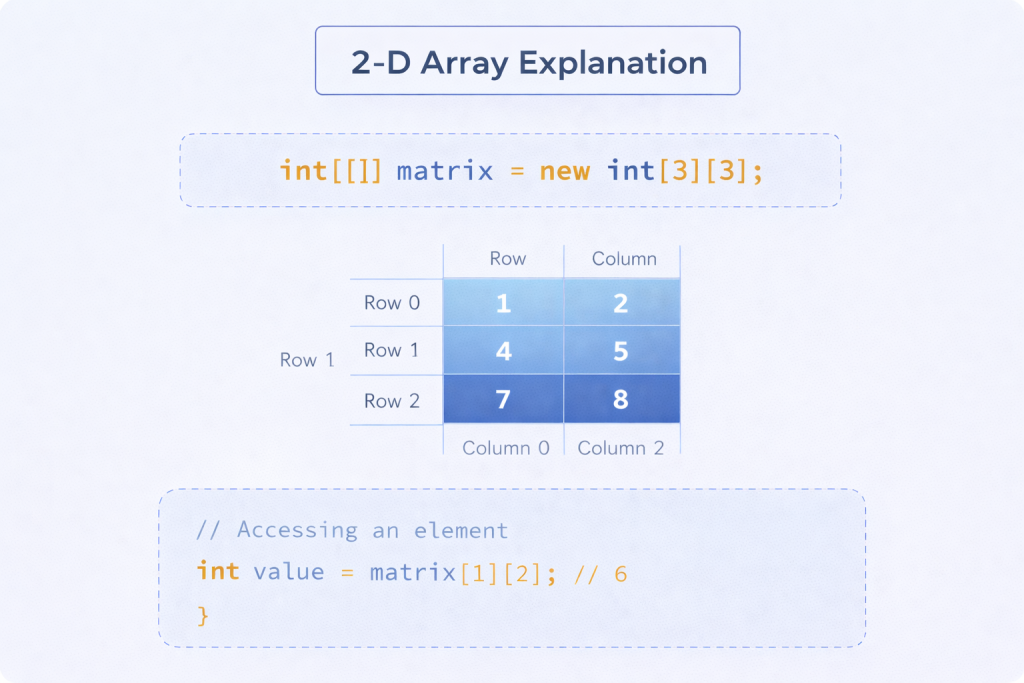
A two-dimensional array represents data arranged in rows and columns, commonly used for tabular or matrix-style data.
Declaration
int[][] matrix;
Memory Allocation
matrix = new int[3][4];
- 3 rows
- 4 columns
- Total elements = 12
Initialization
Static Initialization
int[][] matrix = {
    {1, 2, 3},
    {4, 5, 6},
    {7, 8, 9}
};
Accessing Elements
int value = matrix[1][2]; // row 1, column 2
Traversing a 2D Array
Nested for loops
for (int i = 0; i < matrix.length; i++) {
    for (int j = 0; j < matrix[i].length; j++) {
        System.out.print(matrix[i][j] + " ");
    }
    System.out.println();
}
Enhanced for loop
for (int[] row : matrix) {
    for (int value : row) {
        System.out.print(value + " ");
    }
    System.out.println();
}
Jagged Arrays (Irregular 2D Arrays)
Java allows rows of different lengths.
int[][] jagged = new int[3][];
jagged[0] = new int[2];
jagged[1] = new int[4];
jagged[2] = new int[3];
Each row is an independent array.
Memory Behavior
- Arrays are objects stored on the heap
- Reference stored in stack
- 2D arrays are arrays of array references
- Rows can have different sizes (jagged structure)
Understanding this helps prevent incorrect assumptions about memory layout.
Array Index Boundaries
Valid index range:
0 to length - 1
Accessing outside this range results in:
ArrayIndexOutOfBoundsException
This is a runtime exception.
Common Errors and Pitfalls
- Accessing invalid indices
- Assuming dynamic resizing
- Confusing
lengthwith method - Using enhanced for-loop when index is required
- Forgetting row-wise length in 2D arrays
When to Use Arrays
Arrays are suitable when:
- Size is known and fixed
- Performance matters
- Indexed access is required
- Memory predictability is important
For dynamic resizing, collections are preferred.
Performance Characteristics
- Access time: O(1)
- Traversal time: O(n)
- No overhead for resizing
- Cache-friendly memory layout
Arrays vs Collections (Brief Contrast)
| Aspect | Arrays | Collections |
|---|---|---|
| Size | Fixed | Dynamic |
| Performance | Faster | Slight overhead |
| Flexibility | Limited | High |
| Type Safety | Strong | Strong (Generics) |
Conclusion
Arrays provide a structured, efficient, and predictable way to store multiple values of the same type. One-dimensional arrays handle linear data, while two-dimensional arrays represent tabular structures. Their fixed size, indexed access, and memory layout make them a foundational construct in Java programming. Proper understanding of array declaration, initialization, traversal, and memory behavior is essential for writing efficient and correct programs.